
Wholesale Catalog vs. Line Sheet vs. Sell Sheet: Which Do You Need?
Imagine this situation: a retailer likes your new storage products. Your sales representative leaves a polished catalog. Later, the buyer tries to work out which sizes come in which case quantities, whether dividers are included, and how to request an opening order. Those details are scattered across several pages.
The catalog may have done its first job well: introducing the range. The buyer's next task needs a different information structure.
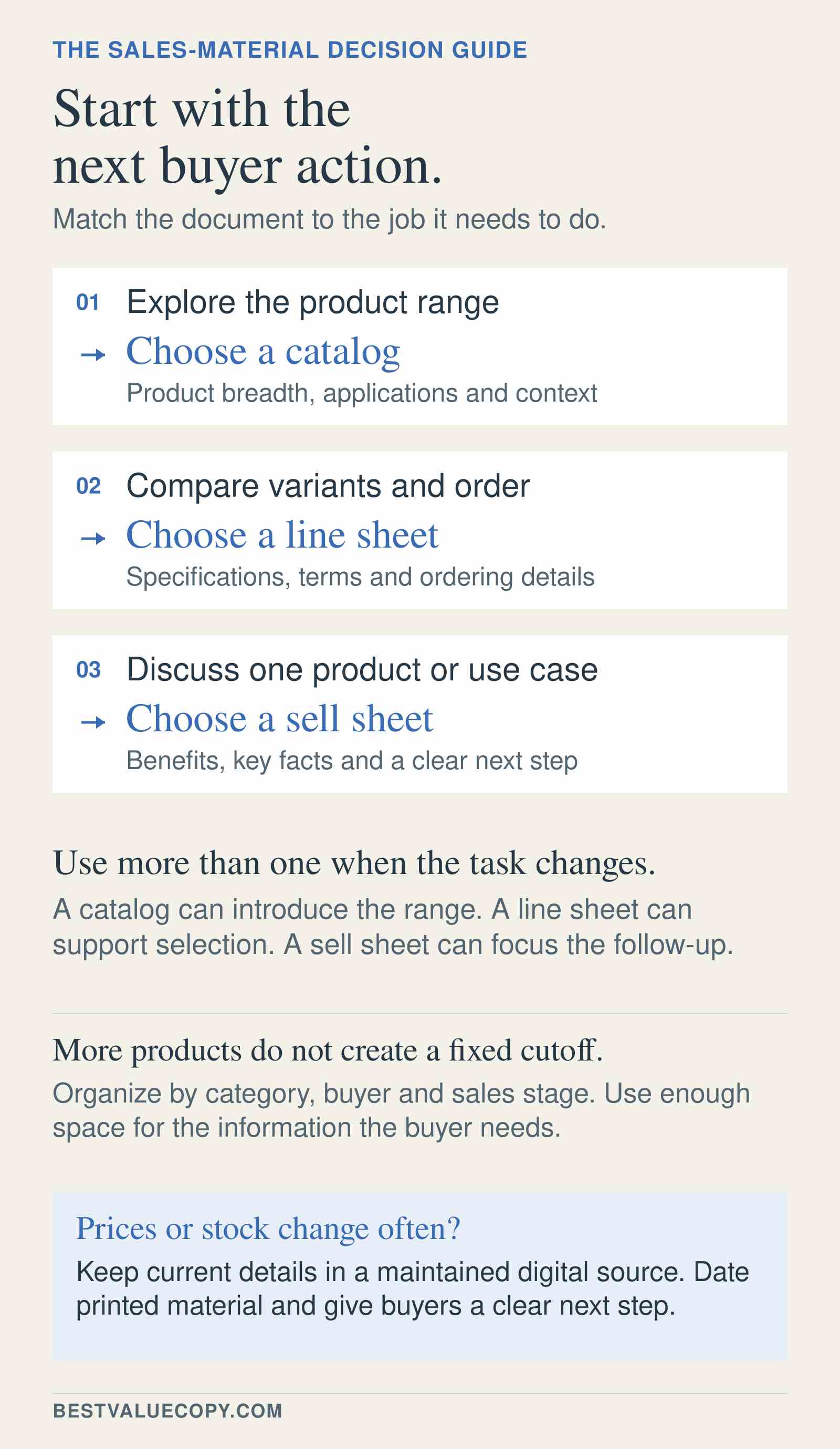
That is the useful distinction between a wholesale catalog, a line sheet, and a sell sheet. Choose the format around what someone needs to do next, then decide how much information belongs in print and what should stay current online.
The difference between a catalog, a line sheet, and a sell sheet
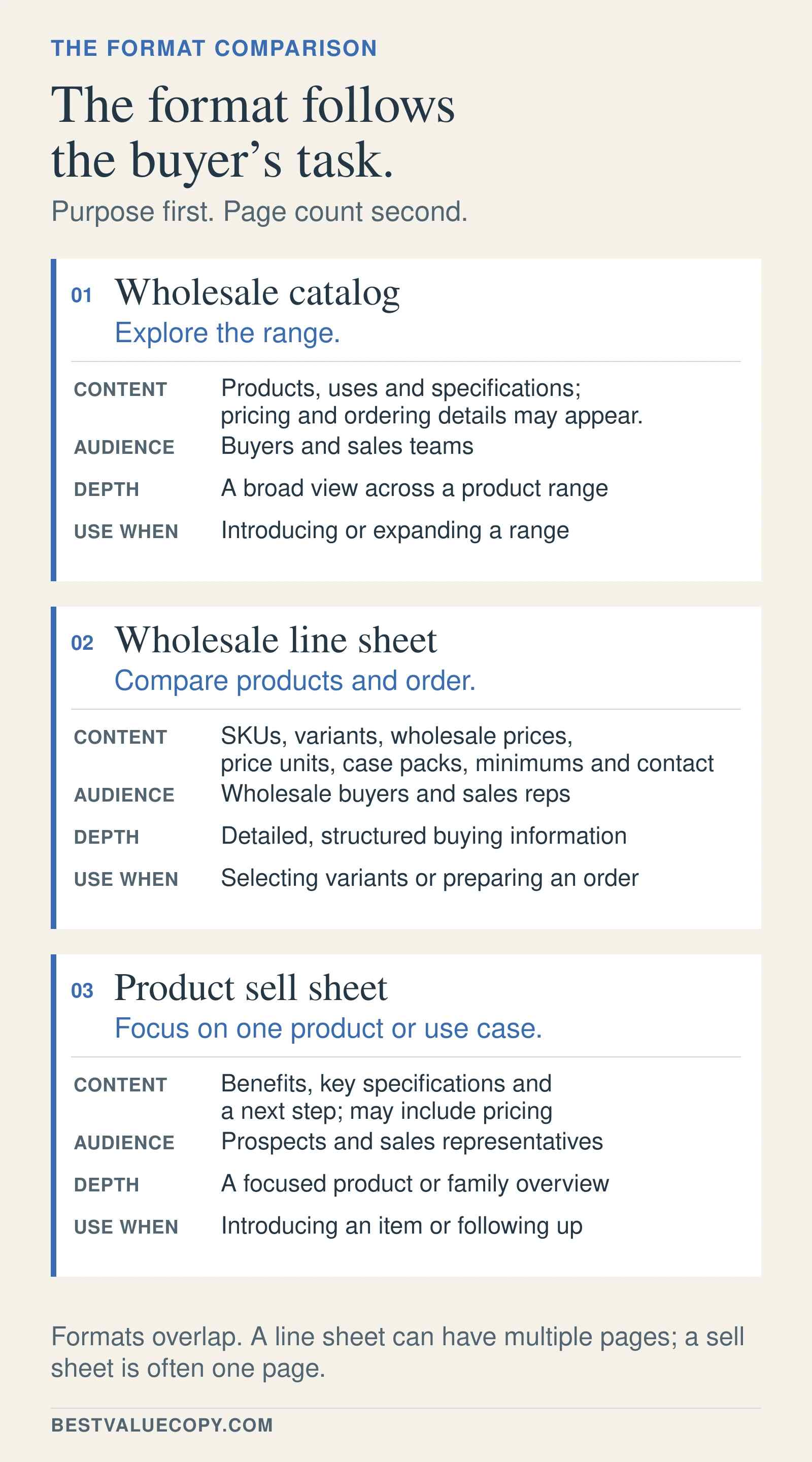
A wholesale catalog presents a product range in context. It organizes categories, explains applications, and helps buyers discover suitable products. It can also include specifications, prices, and ordering information.
A wholesale line sheet presents products in a consistent, compact structure for comparison and ordering. It typically connects product images and identifiers with relevant variants, commercial details, and ordering instructions. A line sheet can run to several pages.
A sell sheet focuses attention on a particular product, product family, or application. Often a single page or a two-sided sheet, it combines a clear reason to consider the offering with supporting details and a next step. It can include ordering information.
These are practical distinctions, not fixed industry boundaries. Shopify's wholesale terminology guide describes catalogs and line sheets with overlapping product and purchasing information. A document's title matters less than whether its contents suit the buyer's task.
| Decision point | Wholesale catalog | Wholesale line sheet | Sell sheet |
|---|---|---|---|
| Primary purpose | Explore a range and understand its uses | Compare items and prepare an order | Evaluate a focused offering |
| Typical content | Categories, product images, applications, descriptions, selected specifications | Product identifiers, variants, images, pack quantities, relevant prices and terms | Product or application, key benefits, supporting facts, selected specifications, next action |
| Main audience | Buyers discovering the range; representatives presenting it | Buyers, purchasing teams, and representatives assembling orders | Prospects and buyers considering a particular need |
| Depth and format | Broad coverage, usually multiple pages | Consistent item-level detail, one or more pages | Focused explanation, often one page or two sides |
| Best-fit situation | Introducing or reviewing a collection | Selecting variants, checking quantities, reordering | Launching a product or following up on a specific discussion |
Start with the conversation your sales team is having
When a prospective distributor asks what you make, a catalog can establish the range and show where different products fit. Category navigation and useful application images matter more than squeezing every item onto the fewest pages.
When an existing retailer wants to compare available sizes and build an order, a line sheet brings the relevant fields together. Give each product the same information in the same sequence so the buyer can scan across options.
When a representative is following up on one specific problem, a sell sheet can keep the discussion focused. Lead with the application, show the relevant product, explain its supported advantages, and identify the next action, such as requesting a sample or a quotation.
A marketing sell sheet does not replace controlled technical specifications, installation instructions, or safety documentation. For products requiring technical evaluation, identify the current supporting documents and provide a reliable way to obtain them.
You may need two formats. A category catalog can introduce the possibilities; a separate line sheet can support selection. A sell sheet earns its place when a particular product or application needs a clearer explanation than the catalog gives it.
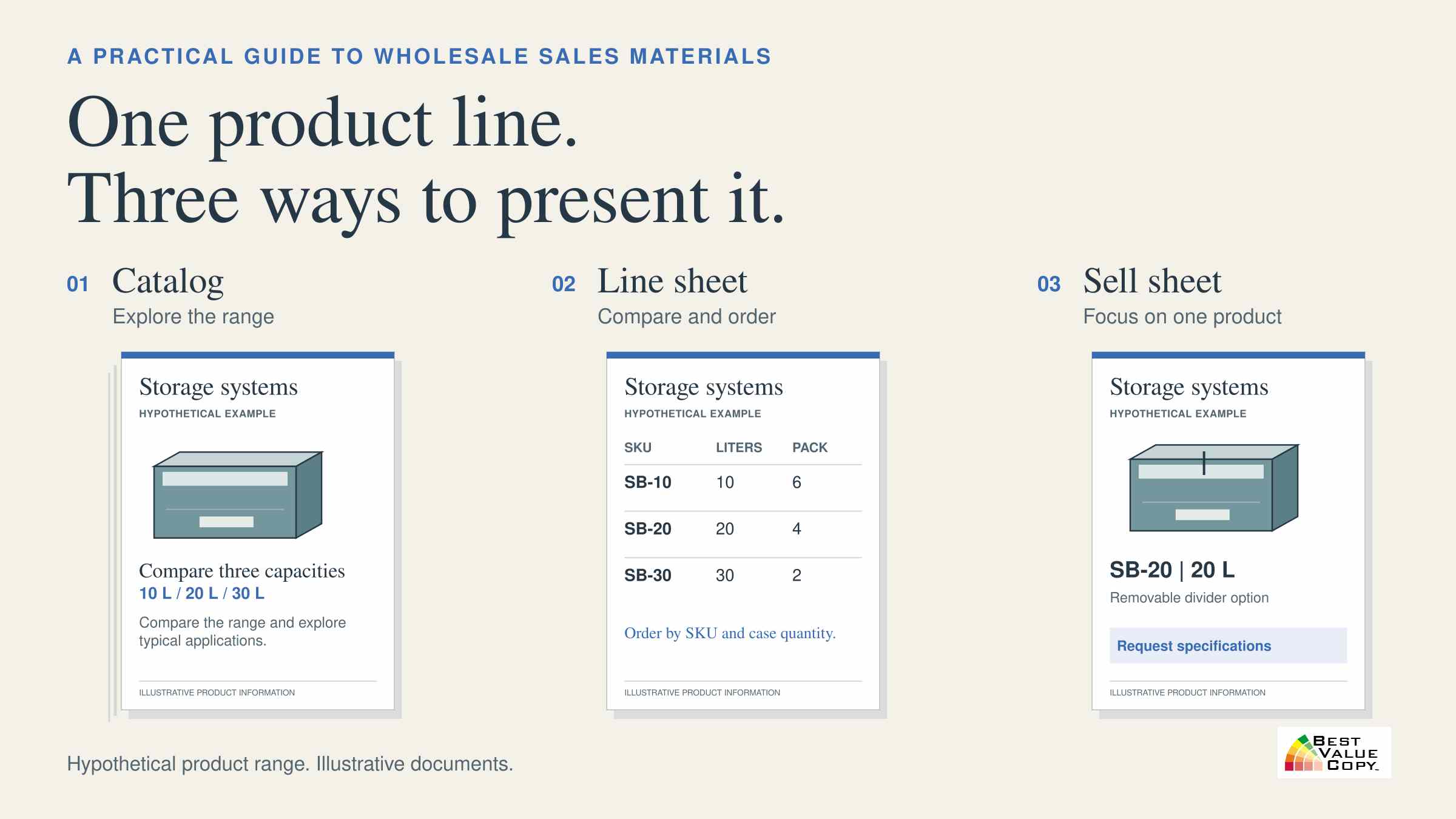
The same storage-bin range, presented three ways
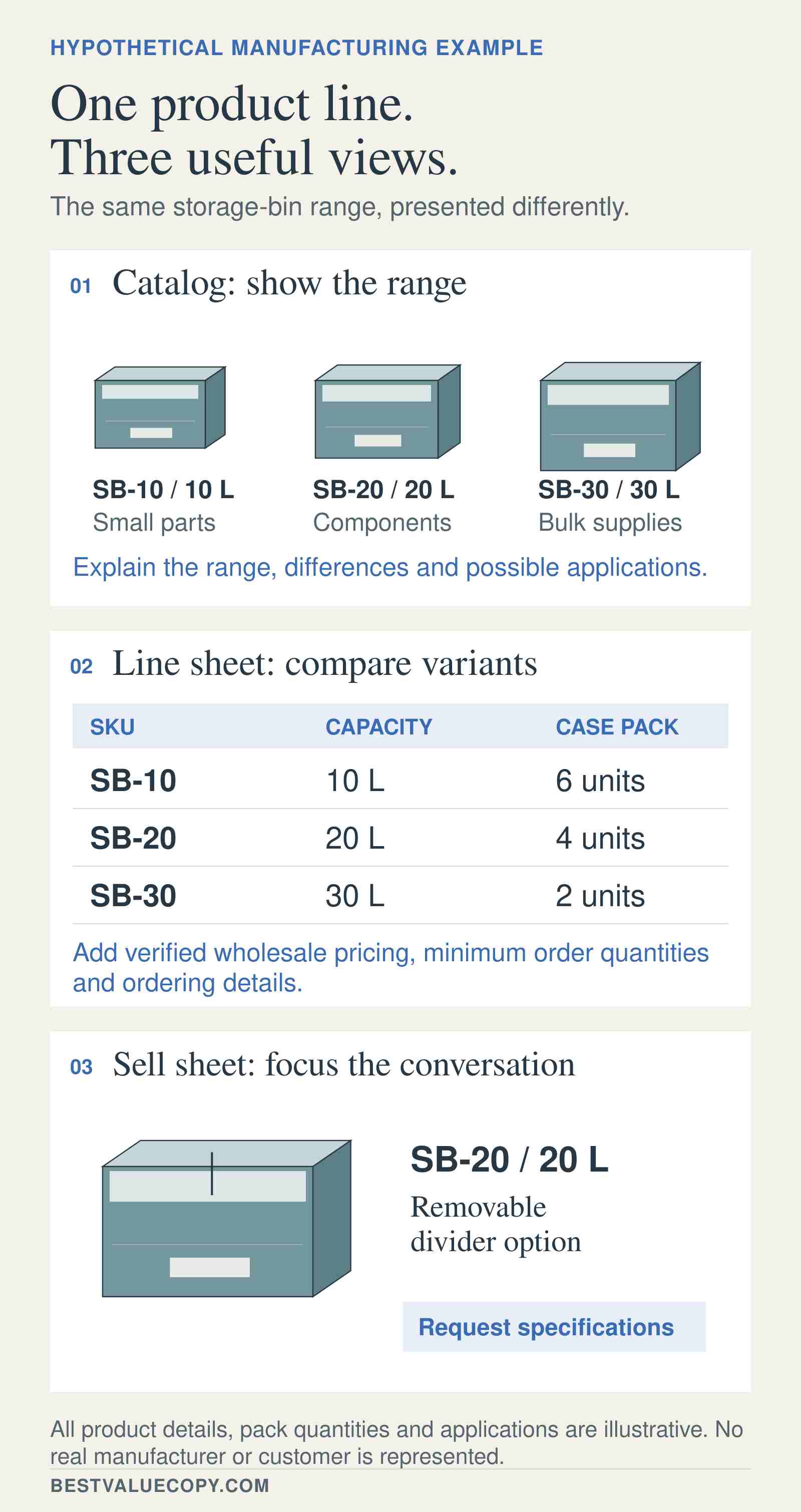
Consider this hypothetical manufacturer with three products. These details are illustrative, not specifications for real merchandise:
- SB-10: 10-liter storage bin; case pack of six.
- SB-20: 20-liter storage bin; case pack of four; divider option available.
- SB-30: 30-liter storage bin; case pack of two.
In the catalog, show the bins together, explain the capacity choices, and organize the range around relevant storage applications. Include clear product references so a reader can move from the overview to individual details.
In the line sheet, show the three items in matching rows or cards. Put the product identifier, capacity, and case pack in consistent positions. For SB-20, state that the divider is optional. Before publishing an order-ready document, assign or confirm the correct order code for that option and explain whether it is supplied separately. “Divider available” is insufficient if the buyer cannot order it accurately.
In the sell sheet, focus on SB-20 and its divider option for a specific storage need. Explain what the configuration offers, show it clearly, and invite a sample request or specification review. Do not invent load ratings, material properties, or suitability claims to make the page more persuasive.
For a focused physical handout, Best Value Copy's flyer printing is a relevant production option. “Sell sheet” describes the communication task; “flyer” describes a printing product that can fulfill it.
Make the ordering details unambiguous
A line sheet can look complete while leaving costly questions unanswered. Orderchamp's line-sheet guidance identifies product variants, identifiers, pricing, minimums, case sizes, terms, and ordering instructions among the relevant fields. Select the fields your buyer needs, then check their meaning.
A case pack describes how many units are packed together. It does not automatically establish the minimum purchase. If an item ships six per case but requires two cases per order, state both conditions.
Distinguish a minimum quantity for one item from an opening-order minimum for the account. A buyer should not have to guess whether a minimum applies to one SKU, one case, or the total order.
Label prices with their basis and currency. “Wholesale price per unit, USD” and “wholesale price per case, USD” mean different things. If you show suggested retail pricing, label it separately from the wholesale price. Make order-quantity columns equally clear: units or cases.
For variants, connect the orderable identifier to the exact size, color, finish, or configuration. A family name may help someone browse, but the purchasing process needs a dependable way to distinguish the items.
Finish with the ordering route and a useful contact. If orders require a quotation, say so. If delivery timing or availability must be confirmed, direct the reader to the current source instead of implying the printed sheet settles those questions.
A useful review test is to give the draft to someone who did not design it. Ask them to identify an item, select its configuration, calculate the required number of cases, and explain how they would order. Any point that requires a verbal explanation deserves another look. This tests the document's usefulness more directly than asking whether the layout looks professional.
Twenty products and hundreds of products create different problems
Product count alone does not determine the format. Twenty products with many sizes and finishes can be harder to present than hundreds of straightforward replacement items.
For a compact range, a short catalog and a readable line sheet may be enough. If the same piece handles discovery and ordering clearly, there is no reason to create a second document just to meet a label.
For a larger range, use categories, a contents page, and reliable product references. Give representatives a way to share the relevant subset instead of handing every prospect the entire assortment. Category line sheets and focused sell sheets can support that approach.
When a stable range needs a bound presentation, explore catalog printing options. When the job is a set of flat comparison or ordering sheets, color-copy printing is another relevant route. Choose the physical format after the information structure is settled.
Keep changing information under control
Separate long-lived content from details that change frequently. Applications, category explanations, and established product photography may remain useful longer than prices, availability, or promotional terms.
One practical arrangement is a printed catalog with a separately dated price list or line sheet. This lets the sales team replace changing commercial details without redesigning every page of the presentation.
Before printing prices for distributor representatives, ask whose selling prices the document should show. As an actual example, Manitoba Agriculture's sell-sheet guidance notes that distributor representatives may prefer material without prices because their prices can differ. Public information, distributor pricing, and account-specific terms may require different versions. Keep confidential pricing in an appropriate controlled channel, such as an authenticated account portal, rather than placing it behind a publicly accessible QR code.
Print an issue date or version identifier and assign someone responsibility for updates. When a detail changes, replace the downloadable file, retire obsolete copies where possible, and tell the sales team which version is current.
Keep the underlying product information in one maintained source wherever practical. A corrected case quantity should reach the catalog, line sheet, sell sheet, and online listing through the same review process. Copying data independently into several designs makes it easier for old details to survive. The marketing owner can manage the layouts while the appropriate product or sales colleague approves the facts and commercial terms.
A link or QR code can point readers to current information, but it cannot correct the printed page. Include a readable URL, test the destination on a phone, and maintain it. Buyers should be able to identify which information they need to confirm before ordering.
Check the content before committing to a print run
Print is useful for meetings, demonstrations, trade-show conversations, and reference materials buyers want beside them. Digital files are easier to replace and can connect directly to current ordering information. A combination makes sense when each version has a clear job.
Before approving production:
- Confirm every orderable identifier, variant, unit of measure, pack quantity, and price basis against the current product source.
- Check product images against the exact items they describe.
- Review the document at its intended printed size, especially tables, footnotes, and contact details.
- Confirm the selected printer's requirements for trim size, bleed, safe margins, page order, color handling, and binding. Do not apply one export preset to every job.
- Inspect the exported PDF, including fonts, image clarity, page sequence, and links. Best Value Copy's FAQs specify PDF files for printing.
- Check a proof when small details, product colors, or unfamiliar finishing choices make one useful. Base quantities on realistic distribution needs and the next expected revision.
For a multipage piece, Best Value Copy's booklet printing guide provides more detailed preparation guidance. Available production choices depend on the selected job configuration.
Start with the document your next sales conversation requires. Give buyers enough context to choose, enough detail to act, and a dependable source for anything that may have changed. Once those decisions are made, use the Best Value Copy product options above to select the paper, quantity, and finishing that fit the job.


