
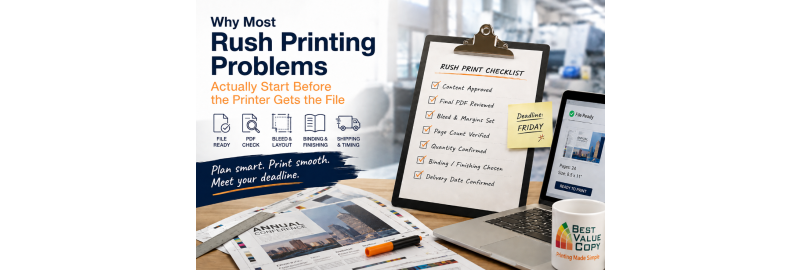
Why Most Rush Printing Problems Start Before the Printer Gets the File
A rush print job usually does not become a rush job at the printer.
It becomes a rush job when the copy takes two extra days to approve.
Or when someone changes the page count after the booklet has already been designed.
Or when the file is finally uploaded and nobody has checked the PDF, the bleed, the quantity, or the actual delivery date.
By the time the printer receives the order, all of that lost time has been pushed into one place: production.
That distinction matters.
Best Value Copy produces most orders in 24 to 48 hours and does not charge an additional fee for faster production. If you are working against a deadline, you can learn more about Best Value Copy’s fast production process.
But even a fast production operation cannot recover time that was lost before a usable file was submitted.
If you regularly order manuals, booklets, training materials, school materials, brochures, flyers, presentations, or event printing, the best way to handle a tight deadline is to understand where delays really come from.
The first question should not be “How fast can this be printed?”
It should be:
“When does someone actually need this in their hands?”
Those sound like the same question. They are not.
Imagine you have a conference on Friday.
At first, the printing deadline sounds like Friday.
But the materials need to be placed into attendee folders Thursday afternoon.
Those folders have to be assembled Thursday morning.
The boxes are being delivered to a hotel, so you would rather not have them arrive during event setup itself.
Your real target may now be Wednesday.
That is the date the print schedule should be built around.
One of the biggest causes of rushed printing is working backward from the event date instead of the first moment the printed material will actually be used.
A better planning sequence is:
Final use date → internal handling time → delivery time → production time → file deadline
Not:
Event date → upload file whenever it is finished
That one change can prevent a surprising number of emergencies.
Problem #1: Nobody owns the final approval
This is where a lot of jobs lose time.
Marketing approves the design.
Management changes the wording.
Someone in sales notices an old phone number.
Legal adds a sentence.
Then the event team changes the date.
None of those changes is unusual.
The problem is when nobody has authority to say, “This is the final version. Send it.”
Without a clear approval point, a job can remain almost finished for days.
What works better
Choose one person to own the final print file.
That person should confirm:
-
the copy is approved
-
the dates are correct
-
contact information is current
-
prices are correct
-
URLs work
-
QR codes work
-
the page order is correct
-
the quantity is final
Once that person signs off, the file goes to print.
This matters even more when the deadline is tight because every revision after submission creates another opportunity for confusion.
A folder full of files named final.pdf, final2.pdf, final-approved.pdf, and final-use-this-one.pdf is not a production system.
Problem #2: The source file gets checked, but the PDF does not
This is one of the easiest mistakes to avoid.
A design can look correct in Canva, PowerPoint, Word, InDesign, or another application and still export incorrectly.
The file that matters is the PDF you are actually sending to the printer.
Best Value Copy has a dedicated guide on preparing Canva files for professional printing, including PDF export, bleed, page count, and final-file review.
Before uploading a rush job, open the final PDF and go through it page by page.
Look for:
-
unexpected blank pages
-
missing images
-
shifted text
-
clipped text
-
wrong page orientation
-
low-resolution images
-
wrong page size
-
incorrect page count
-
old dates
-
old pricing
-
incorrect phone numbers
-
broken QR codes
And test the QR code from the PDF itself.
That last part matters. If the PDF is what will be printed, the PDF is what should be tested.
Five minutes spent checking the exported file is often more valuable than five minutes saved during ordering.
Problem #3: Bleed is discovered at the end instead of designed at the beginning
If a photograph, background color, or graphic is supposed to run all the way to the edge of the finished piece, the file needs to be prepared for full bleed.
That is a design decision.
It should not first become a topic when the job is being uploaded.
If artwork ends exactly at the trim edge, even a very small variation in cutting can expose a thin white line.
That is why artwork intended to reach the edge extends beyond the finished trim size, while important text and logos remain safely inside the cutting area.
Best Value Copy covers this in its Canva-to-print bleed checklist, and customers can also configure bleed as part of a custom printing order.
The practical lesson is simple:
If you want edge-to-edge printing, build the file for edge-to-edge printing from the beginning.
Do not finish the design first and then ask whether the printer can somehow “make it bleed.”
Problem #4: The team decides what the piece says, but not how it will be used
Consider a training manual.
The content is finished.
The PDF is correct.
The quantity is known.
But nobody has decided how the manual should be bound.
That decision can affect both the finished product and the production workflow.
A workbook that needs to stay open on a desk has different requirements from a polished presentation booklet.
A document that will be placed into a three-ring binder does not need to be treated the same way as a client-facing manual.
A short booklet may be appropriate for saddle stitching. A larger reference document may benefit from a different binding method.
Best Value Copy offers a wide selection of finishing choices, including several binding styles. If you are unsure which one fits your project, its binding guide is a useful place to compare the options.
For jobs that need more customization, the custom printing page lets customers configure paper, size, binding, finish, and other production choices.
Before ordering, ask:
How will the reader use this?
Will it need to lie open?
Will people write in it?
Will it be mailed?
Will it be carried around?
Will it be used once or referenced repeatedly?
Does it need to look premium, or is function the priority?
Those questions are much more useful than simply asking which binding “looks best.”
Problem #5: Quantity keeps changing
The order starts at 200 copies.
Then one department needs another 50.
Someone remembers an off-site location.
A salesperson asks for extras.
Now you need 350.
Quantity changes are not always a problem, but late quantity changes can affect:
-
total cost
-
packaging
-
shipping weight
-
number of cartons
-
distribution
-
internal handling
The easiest fix is to put a deadline on quantity changes.
For example:
“Final print quantity is due Tuesday at noon.”
After that point, additions become a second order instead of reopening the first one.
It creates discipline without making the process complicated.
Problem #6: Shipping is treated like part of printing time
This is probably the most common scheduling mistake.
Production time and delivery time are different.
Best Value Copy states that most orders are produced in approximately 24 to 48 hours, but transit happens after production. Its Fast Production page explains the production side, while the FAQ covers shipping information and delivery-related questions.
That does not mean every order placed today will be physically delivered 24 to 48 hours later.
The order still needs to travel from the production facility to its destination.
If the materials are important, build the schedule around the date they should arrive, not the date you hope production will finish.
And if possible, do not schedule delivery for the absolute last moment.
A job needed Friday morning is much safer if it arrives Wednesday or Thursday than if the entire plan depends on a Friday morning delivery.
Problem #7: People assume “rush” means skipping checks
This is backwards.
The tighter the deadline, the more important the final check becomes.
When there is plenty of time, an issue may be fixable without much consequence.
When there is almost no time, a small mistake can consume the only buffer you have.
Before submitting a time-sensitive order, confirm these seven things:
-
Is this the actual final PDF?
-
Is the page size correct?
-
Is the page count correct?
-
Is the quantity correct?
-
Is the bleed correct, if applicable?
-
Are the paper and finishing selections correct?
-
Is the delivery date based on when the materials will actually be used?
Best Value Copy also has a related guide on 5 printing mistakes to avoid before ordering online, which is worth reviewing if you want a broader preflight checklist before submitting a job.
If the answer to all seven questions above is yes, you have removed most of the preventable problems that turn fast printing into stressful printing.
A realistic example
Say your company needs 300 bound training manuals for a Monday seminar.
The instinct might be:
“We can finish the file Thursday and order rush printing.”
But look at the actual schedule.
The manuals are being placed on tables Sunday evening.
Staff members need them at the venue Sunday afternoon.
The venue does not reliably receive packages on weekends.
That means the shipment should probably arrive Friday.
Once you allow for delivery time, the file may need to be submitted Wednesday or earlier.
Now add one more detail: the manuals require binding.
And another: the final PDF is 146 pages instead of the 140 pages originally quoted.
And another: 25 additional attendees were added Tuesday.
None of those problems has anything to do with how fast a press can print.
They are project-management issues.
That is what people often miss about rush printing.
The best rush-print strategy is to protect production time
A good print vendor can control production.
Your team controls almost everything before it.
That means the most effective way to protect a tight deadline is to remove uncertainty before the file is sent.
Finalize the copy.
Assign one approver.
Check the PDF.
Confirm the quantity.
Choose the finishing.
Clarify the real delivery date.
Then submit.
Once a properly prepared job reaches Best Value Copy, the company’s fast production workflow is designed to move most orders through production within about 24 to 48 hours without an additional rush-production fee.
That speed is most valuable when the order is actually ready to move.
A better way to plan a time-sensitive print job
For the next project, try this.
Before design is finished
Decide:
-
finished size
-
approximate quantity
-
color or black-and-white
-
bleed or no bleed
-
paper type
-
binding or finishing
-
where the order will be shipped
-
when it must physically arrive
If paper is the part you are unsure about, Best Value Copy also has a paper information and suggestions page to help compare choices.
Before exporting the PDF
Confirm:
-
all copy is approved
-
dates and contact information are current
-
images are final
-
page order is correct
-
quantity is final
Before uploading
Open the PDF and check:
-
dimensions
-
page count
-
image quality
-
bleed
-
margins
-
page orientation
-
QR codes
-
spelling
-
finishing selections
Before choosing shipping
Ask:
“When do we need this in hand?”
Then leave whatever buffer the project allows.
The takeaway
When a print project becomes a last-minute emergency, the printer is often only seeing the final few hours of a problem that started days earlier.
Fast printing matters.
But a fast printer is most effective when the file arrives finished, approved, correctly prepared, and attached to a realistic delivery plan.
If you regularly order time-sensitive printing, the goal should not be to get better at rushing.
The goal should be to remove the things that make rushing necessary.
And when a deadline really is tight, Best Value Copy is built for fast production, with most orders produced in approximately 24 to 48 hours without an additional rush-production fee. Learn more about fast printing at Best Value Copy, or build a custom printing order when your job requires specific paper, binding, size, or finishing choices.
Frequently Asked Questions About Rush Printing
What is rush printing?
Rush printing generally refers to a print job that needs to be produced on a compressed timeline. Turnaround depends on the printer, the complexity of the job, and the finishing required. Best Value Copy says almost all of its orders ship within about 24 to 48 hours of production and promotes fast production without an additional rush fee.
Is production time the same as delivery time?
No. Production is the time needed to manufacture the order. Transit begins after the order leaves the print facility. Best Value Copy provides separate shipping information in its FAQ.
What should I check before submitting a rush print order?
At minimum, review the final PDF, page size, page count, bleed, image quality, quantity, paper selection, finishing options, shipping destination, and required arrival date. For more detailed file-preparation help, see Best Value Copy’s PDF export checklist.
How do I choose the right binding for a rush print job?
Start with how the printed piece will be used. Manuals, workbooks, presentations, and short booklets can have very different requirements. Best Value Copy’s binding guide explains the binding choices available.
Does Best Value Copy charge a rush production fee?
Best Value Copy states that most orders are produced within 24 to 48 hours and that customers do not pay an additional fee simply for faster production.


